MiraFolio for iPhone & iPadExplore →

Wallpaper app for iPhone

A private iPhone photo album protected by Face ID

Photos are stored as separate app data outside Apple Photos. Organize with folders and tags, protect access with Face ID / Touch ID, and optionally sync with iCloud.

Download on the App Store

MiraFolio

See MiraFolio in action

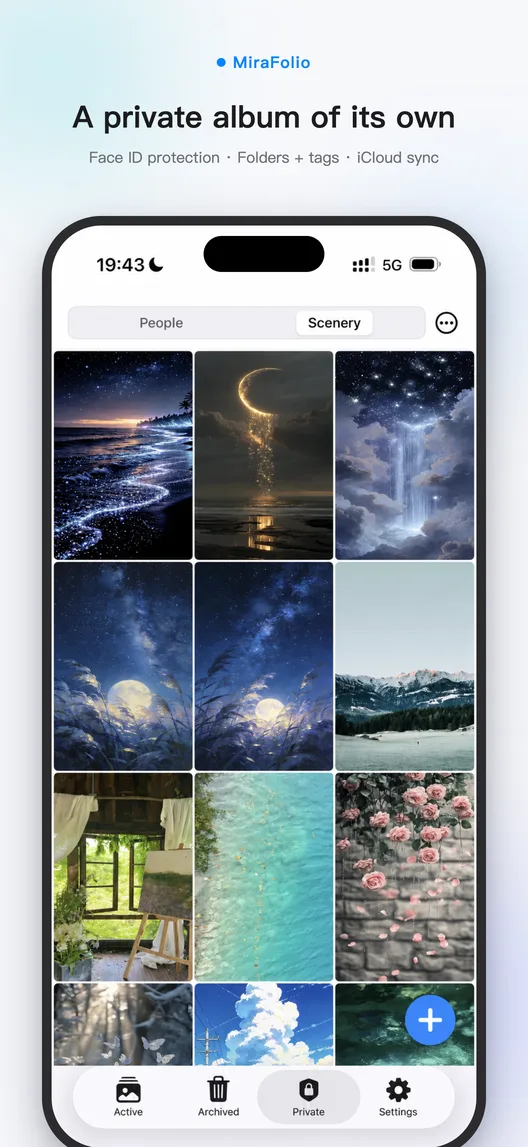
MiraFolio Private Album screen showing Face ID-protected photo folders
A private album of its ownPhotos are stored as separate app data outside Apple Photos. Organize with folders and tags, protect access with Face ID / Touch ID, and optionally sync with iCloud.
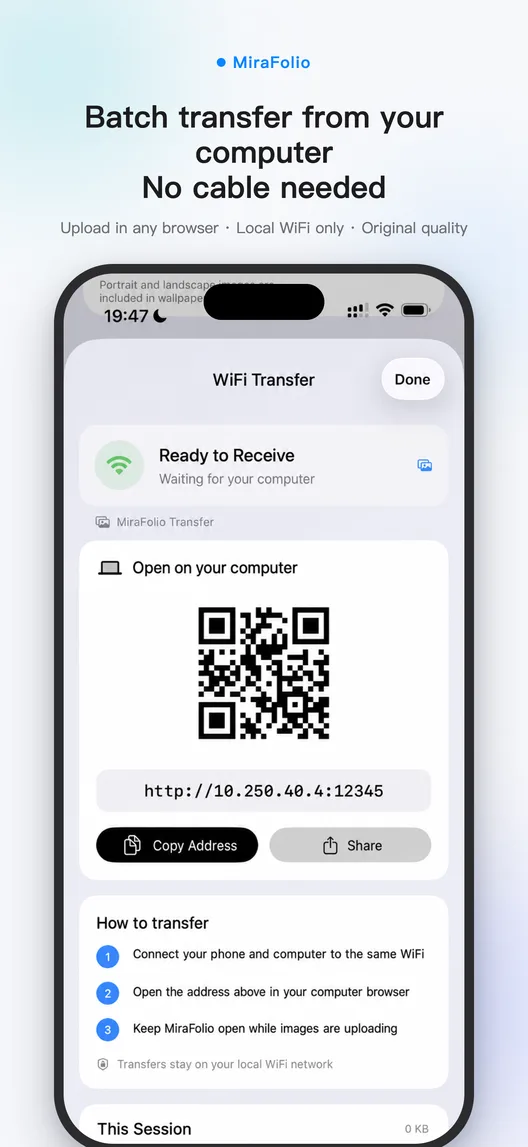
MiraFolio local WiFi transfer screen showing the computer connection address and import status
From computer to phone, no cableNo. Images move directly between your computer and MiraFolio over your current local WiFi network; they are not uploaded to a MiraFolio server.

Why does MiraFolio need photo access?

Photo access lets MiraFolio read the system albums you choose and provide the next image to Shortcuts. Wallpaper operations are performed on your device, and permission can be changed in Settings.

Private photos

Stored separately as app data, protected by Face ID / Touch ID, with optional iCloud sync

From computer to phone, no cable

No. Images move directly between your computer and MiraFolio over your current local WiFi network; they are not uploaded to a MiraFolio server.

What happens to imported photos when Pro expires?

If Pro expires, everything already imported stays browsable and exportable. An active Pro option is required to use WiFi transfer or import new photos into the private album.

Frequently asked questions

Why does MiraFolio need photo access?
Photo access lets MiraFolio read the system albums you choose and provide the next image to Shortcuts. Wallpaper operations are performed on your device, and permission can be changed in Settings.
Do private-album photos appear in Apple Photos?
Photos are stored as separate app data outside Apple Photos. Organize with folders and tags, protect access with Face ID / Touch ID, and optionally sync with iCloud.
What happens to imported photos when Pro expires?
If Pro expires, everything already imported stays browsable and exportable. An active Pro option is required to use WiFi transfer or import new photos into the private album.
Does WiFi transfer upload my photos to a server?
No. Images move directly between your computer and MiraFolio over your current local WiFi network; they are not uploaded to a MiraFolio server.

Browse more MiraFolio questions and answers →

MiraFolio

Make every glance at your phone
worth a second look

The photos you love most deserve to be seen every day.

Download on theApp Store